
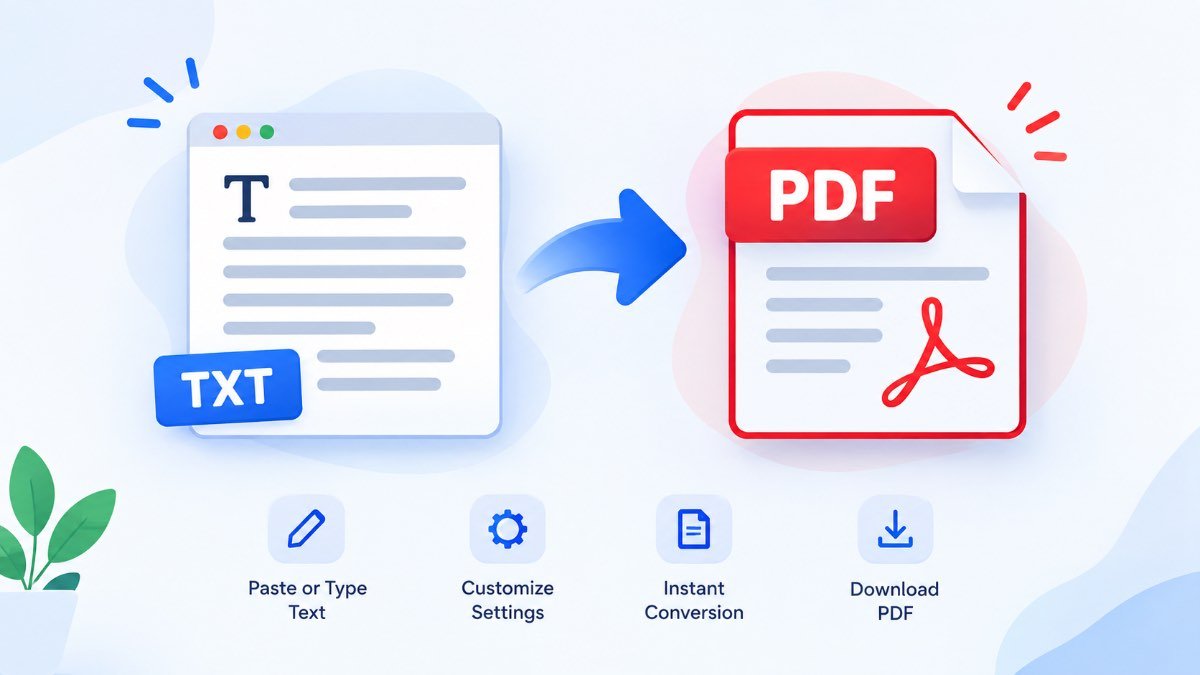
Text to PDF Converter
Type or paste your text below to generate a formatted PDF file instantly.
Plain text is one of the simplest ways to write and store information. You can create it in Notepad, a code editor, a notes app, or almost any writing application. But when that same text needs to be shared, printed, submitted, or saved as a finished document, a PDF is usually much more convenient.
A Text to PDF Converter bridges that gap. Instead of copying your text into a word processor and manually fixing the page layout, you can turn the content into a PDF that is easier to send, print, and keep for later.
📑 Table of Contents
- What Is a Text to PDF Converter?
- Why Convert Text to PDF?
- How Text to PDF Conversion Works
- How to Convert Text to PDF
- TXT vs PDF: What Is the Difference?
- When Should You Convert Text to PDF?
- Benefits of Converting Text to PDF
- What Happens to Text Formatting?
- Can You Convert Text to PDF on Mobile?
- Is Online Text to PDF Conversion Safe?
- Common Mistakes to Avoid
- Best Practices for a Better PDF
- Frequently Asked Questions
What Is a Text to PDF Converter?
A Text to PDF Converter is a tool that takes written text and creates a PDF document from it. Depending on the tool, you may be able to type directly into an editor, paste existing content, or upload a plain text file.
The important difference is that the result is not simply another text file. The content is arranged into a document format with pages. Long text can flow onto additional pages instead of becoming one endless block of characters.
This is especially useful when you have information that is already written but do not want to open a full document editor just to create a simple PDF.
Plain Text
Your original words, notes, lines, and paragraphs provide the content.
PDF Document
The information becomes a paginated document that is easier to share and print.
Why Convert Text to PDF?
The main reason is simple: plain text is excellent for writing and storing raw information, while PDF is better suited to presenting that information as a finished document.
Imagine that you have written a set of instructions for a customer. Sending a raw TXT file may work, but it does not feel like a finished document. A PDF gives the recipient something that is easier to open, read, print, and save.
The same applies to meeting notes, study material, project documentation, letters, checklists, simple reports, and text that needs to be archived.
- Creates a document-oriented version of plain text.
- Makes text easier to print and share.
- Provides a cleaner way to archive written information.
- Helps separate the final document from the original editable text.
- Can be more convenient than opening a full word processor for a simple task.
How Text to PDF Conversion Works
The conversion process may look complicated from the outside, but the basic idea is straightforward. Your text is read by the converter, arranged according to the selected page settings, and then placed into a PDF document.
1. Reading the Text
The converter first receives the content. This can happen through pasted text, typed content, or a TXT file. Line breaks and paragraphs can then be interpreted according to the converter’s layout rules.
2. Preparing the Page
A PDF needs a defined page area. The converter therefore has to consider things such as paper size, margins, font size, and available writing space.
3. Wrapping Long Lines
A line that is short enough for one page can stay together. A longer line has to be wrapped so that it does not run beyond the printable area. Good converters handle this automatically.
4. Creating Additional Pages
When the text reaches the bottom of a page, the remaining content continues on another page. This is what turns a long piece of plain text into a practical multi-page document.
5. Generating the PDF
Finally, the formatted content is packaged into a PDF file that can be saved to your device.
How to Convert Text to PDF Online
If you only need a straightforward PDF from written text, the process should not require a complicated workflow. A typical browser-based converter can be used in a few simple steps.
Add Your Text
Type your content into the editor or paste text that you have already written somewhere else.
Choose Your Settings
If available, select the page size, font size, margins, alignment, or other document options.
Create the PDF
Start the conversion and allow the tool to arrange your text across the required pages.
Download the File
Save the generated PDF to your computer, phone, tablet, or other supported device.
For a simple document, that is usually all you need. If the source content contains complex tables, images, special fonts, or advanced formatting, a full document editor may be a better choice.
TXT vs PDF: What Is the Difference?
TXT and PDF are not really competing formats. They serve different purposes. TXT is intentionally simple and focuses on the text itself. PDF focuses more on presenting that content as a document.
| Feature | TXT | |
|---|---|---|
| Primary purpose | Store plain text | Present a document |
| Page structure | Usually none | Built around pages |
| Basic formatting | Very limited | More document-focused |
| Easy to edit | Yes | Not primarily designed for editing |
| Printing | Depends on the text application | Designed for document presentation |
| Sharing a finished document | Less suitable | Often more convenient |
A useful way to think about it is this: TXT is closer to raw content, while PDF is closer to a finished document.
When Should You Convert Text to PDF?
You do not need to convert every TXT file into PDF. If you are still editing the content, plain text may actually be the better format. Conversion becomes useful when the writing has reached a point where you want to share or preserve it as a document.
Meeting Notes
A collection of meeting notes can be turned into a PDF before sending it to colleagues or saving it with other project documents.
Study Notes
Students often keep quick notes in simple text files. Turning finished notes into PDF can make them easier to read on another device or print for revision.
Instructions and Guides
If you have written installation instructions, operating steps, or a simple user guide in a TXT file, PDF can be a more convenient format for distribution.
Logs and Technical Information
Developers and system administrators sometimes need to share a section of a log or command output. Converting the relevant text into PDF can make it easier to attach to a report or documentation.
Personal Notes
Journaling, checklists, travel notes, plans, and other personal writing can also be saved as PDFs when you want a document that is separate from the original editable text.
Benefits of Converting Text to PDF
Cleaner Presentation
Your text becomes a document with a defined page structure instead of an open-ended text file.
Easy to Save
Once the PDF is generated, you can store it alongside your other documents.
Simple Sharing
A finished PDF is convenient for sending as an attachment or keeping in a document library.
Useful for Printing
PDF is naturally suited to page-based documents, making it practical when a physical copy is needed.
What Happens to Text Formatting?
This is one area where you should understand the difference between plain text and a formatted document. A standard TXT file mainly contains characters and basic line breaks. It does not normally contain the same rich formatting information you would find in a modern word-processing document.
Because of that, a Text to PDF converter cannot magically recover formatting that was never present in the source text.
For example, if your TXT file contains:
Review mobile layout
Prepare final content
The converter can preserve the words and basic structure, but it cannot know whether “Project Notes” was supposed to be a large heading, a company logo, or a specific branded font unless you provide those instructions through the converter’s available settings.
This is why simple Text to PDF conversion works best when your goal is to turn straightforward written information into a readable document rather than recreate a heavily designed publication.
Can You Convert Text to PDF on Mobile?
Yes. A browser-based Text to PDF converter can be particularly useful on phones and tablets because you do not necessarily need desktop software just to create a simple document.
You can write or paste your text, select the available document settings, create the PDF, and save the result to your device. The exact experience depends on the browser and the converter you are using.
For iPhone and iPad
A responsive web converter can be used directly from Safari or another supported browser. The important thing is that the editor and controls should remain usable on a smaller screen.
For Android
The same basic workflow applies. Open the converter, add your text, configure the document if needed, generate the PDF, and save or share the resulting file.
Is Online Text to PDF Conversion Safe?
Safety depends on how the particular converter processes your content. Some online services upload documents to a remote server for processing, while others perform the conversion directly inside the browser.
That distinction matters if the text contains private information. Before using an online converter for confidential material, check its privacy policy and understand whether your content is transmitted to a server.
For ordinary notes and non-sensitive content, an online converter can be a convenient solution. For highly confidential material, a trusted local application may be more appropriate.
Common Mistakes to Avoid
1. Expecting a TXT File to Contain Rich Formatting
Plain text is intentionally simple. If you need complex layouts, tables, images, colors, headers, footers, or carefully designed typography, start with a suitable document format instead of expecting TXT to preserve everything.
2. Ignoring Long Lines
Technical logs, code, URLs, and copied data can contain extremely long lines. Make sure your converter wraps or handles long lines properly so that content does not disappear beyond the page boundary.
3. Choosing an Unnecessarily Small Font
Smaller text may fit more information on a page, but it can quickly become uncomfortable to read. Choose readability over squeezing everything into fewer pages.
4. Forgetting to Review the Result
Always open the generated PDF before sending it to someone else. Check page breaks, missing characters, line wrapping, spacing, and the beginning and end of the document.
5. Using PDF When You Still Need to Edit Heavily
PDF is excellent as a final or sharing format, but it is not always the best format for ongoing editing. Keep your original text so you can make changes later without rebuilding the document from scratch.
Best Practices for a Better Text PDF
A good PDF does not have to be complicated. Even a simple text document can look much better when the basic layout decisions are sensible.
- Use a readable font size rather than trying to fit maximum content on each page.
- Keep reasonable margins around the page.
- Use blank lines to separate major sections of your content.
- Keep headings visually distinct when the converter supports formatting.
- Review long URLs and technical strings after conversion.
- Open the final PDF before sharing or printing it.
- Keep a copy of the original TXT file for future editing.
- Use a descriptive filename instead of leaving the file with a generic name.
Keep the Source File
One of the simplest habits is also one of the most useful: do not delete your original text after creating the PDF. The TXT file remains easy to edit, while the PDF can act as your finished version.
Use PDF as the Final Copy
Think of the PDF as a snapshot of the document at a particular stage. If you later need to make substantial changes, update the original content and create a new PDF rather than trying to force extensive edits into the finished file.
Ready to Get Back to the Top?
You can return to the beginning of this page anytime and start again from the main Text to PDF tool.
↑ Scroll to TopFrequently Asked Questions About Text to PDF
What is a Text to PDF Converter?
Can I convert a TXT file to PDF?
Can I paste text directly into a Text to PDF Converter?
Is Text to PDF the same as Word to PDF?
Will my original formatting stay exactly the same?
Can I convert text to PDF on an iPhone or iPad?
Can I convert text to PDF on Android?
Is an online Text to PDF Converter safe?
What can I use a text PDF for?
Should I keep my original TXT file after creating a PDF?
Final Thoughts
Converting text to PDF does not need to be a complicated process. The basic goal is simply to take information that exists as plain text and turn it into a document that is easier to read, print, share, and preserve.
TXT remains useful when you want simplicity and easy editing. PDF becomes more useful when the content is ready to be presented as a finished document. Keeping both formats can therefore be a sensible workflow: edit the original text when necessary, then create a PDF whenever you need a clean copy.
Whether you are converting study notes, instructions, technical logs, meeting notes, or a simple personal document, the best approach is to keep the process practical. Use the simplest format for editing and the most suitable format for sharing.
This guide explains the practical use of text-to-PDF conversion. Features available in individual converters can vary.